Product

One platform for every AI phone call.

Build the agent, train it on your knowledge, and handle every inbound and outbound call — with full transcripts, summaries, and structured data on every single one.

youtube.com
01

No code, no dev ticket

Configure your agent, train it on your content, and launch calling campaigns from a dashboard — not an engineering backlog.

02

Nothing is a black box

Every call comes back with a recording, transcript, AI summary, sentiment, and structured data you can act on immediately.

03

Inbound and outbound, one platform

Answer the phone and make the calls from the same agent, the same number, and the same dashboard.

Walkthrough

A closer look at the platform.

Everything you need to run AI phone calls at scale, in one dashboard — here's what each part actually looks like.

Overview

Your calling insights, at a glance.

Every account gets a virtual number connected straight to your AI agent. The Overview dashboard shows exactly how it's performing, updated in real time.

  • Live call volume across the last 24 hours and all time
  • Unique callers and calls currently active
  • Monthly call trends and a feed of your most recent calls
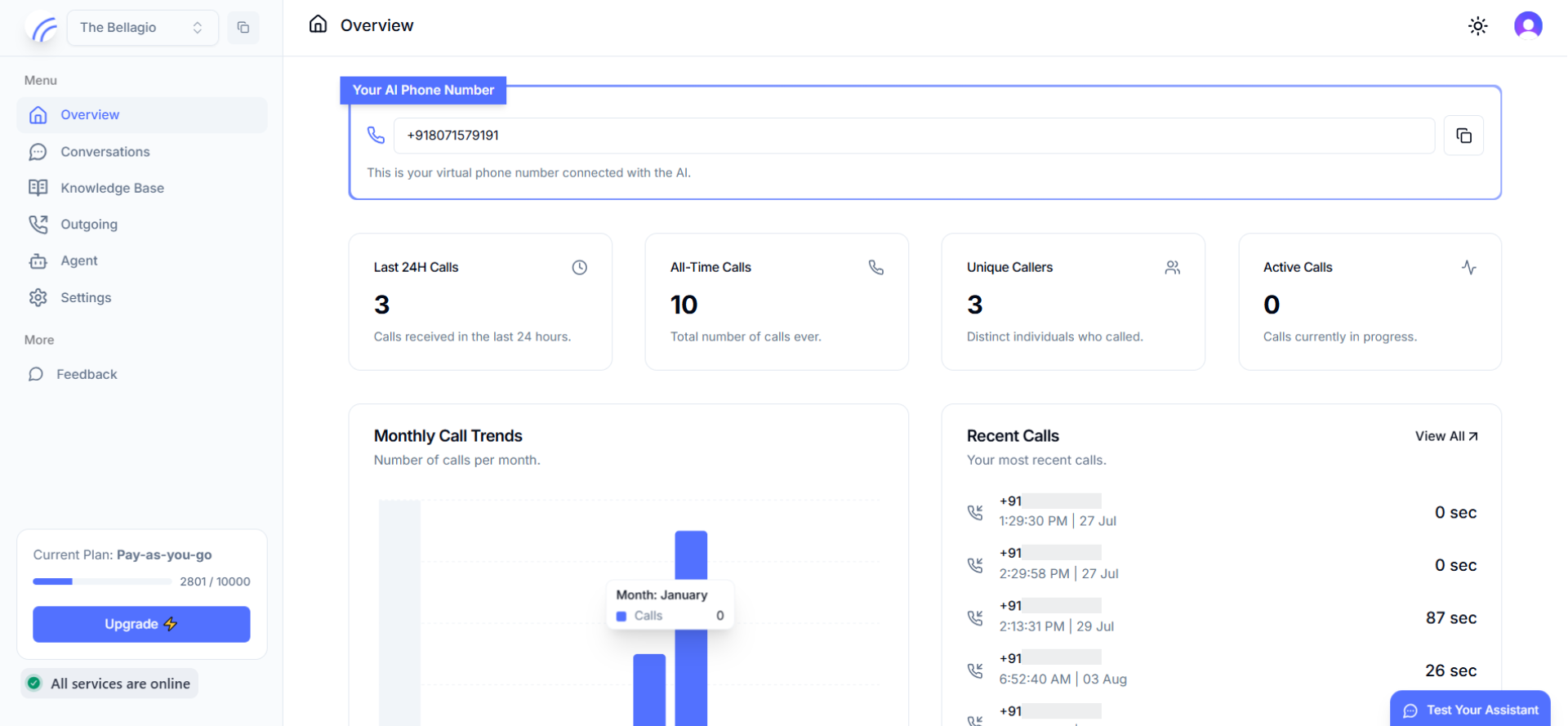
app.hollr.ai/overview
Overview dashboard with call stats and monthly trends
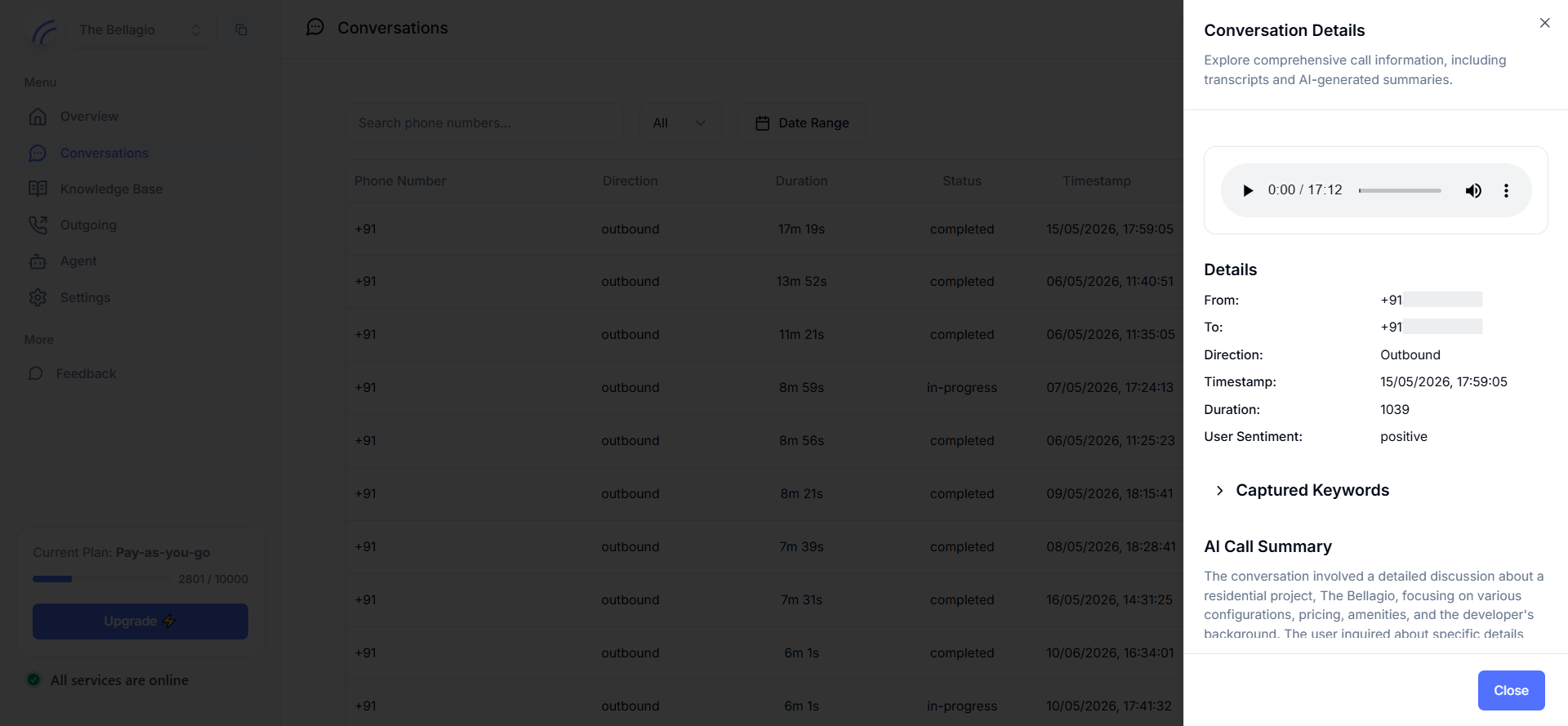
Conversations

Every call, transcribed and understood.

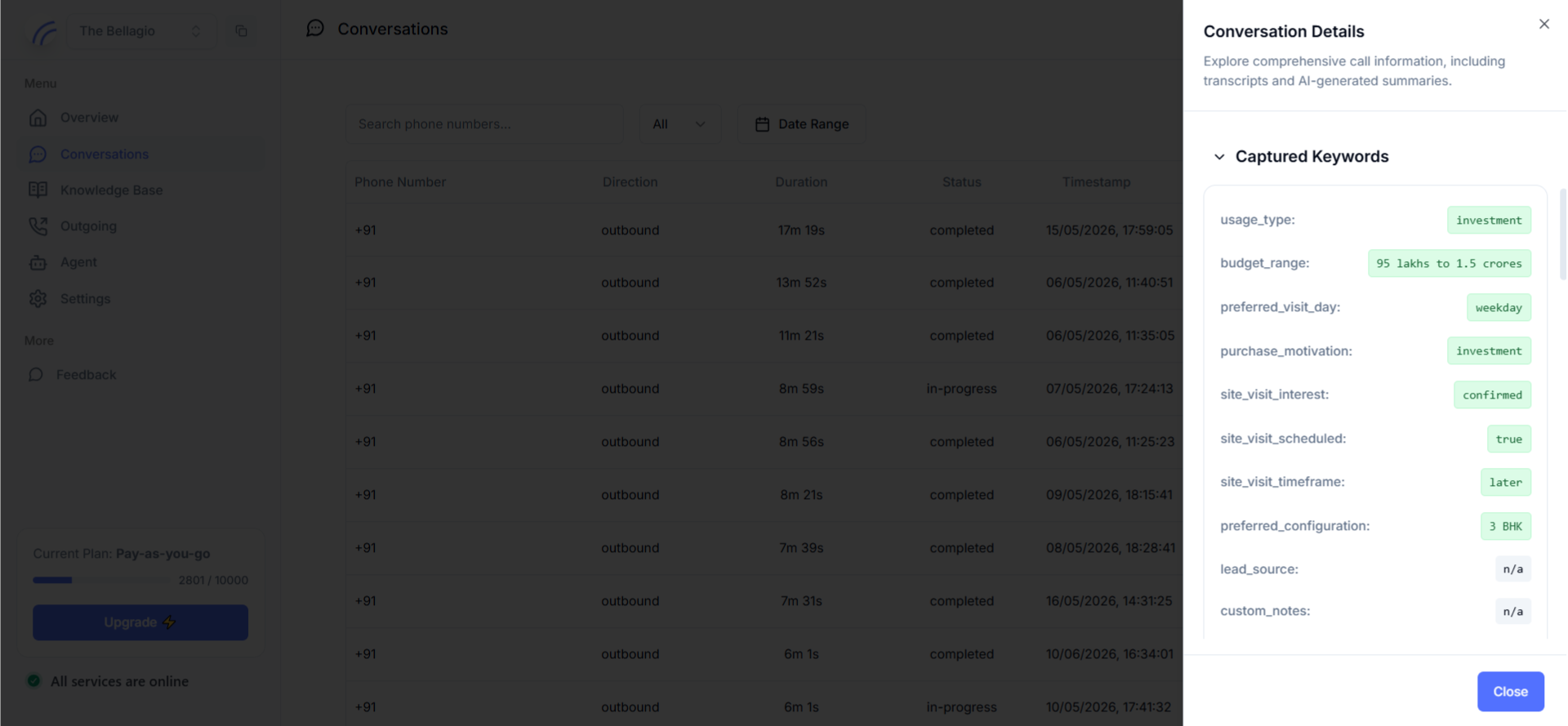
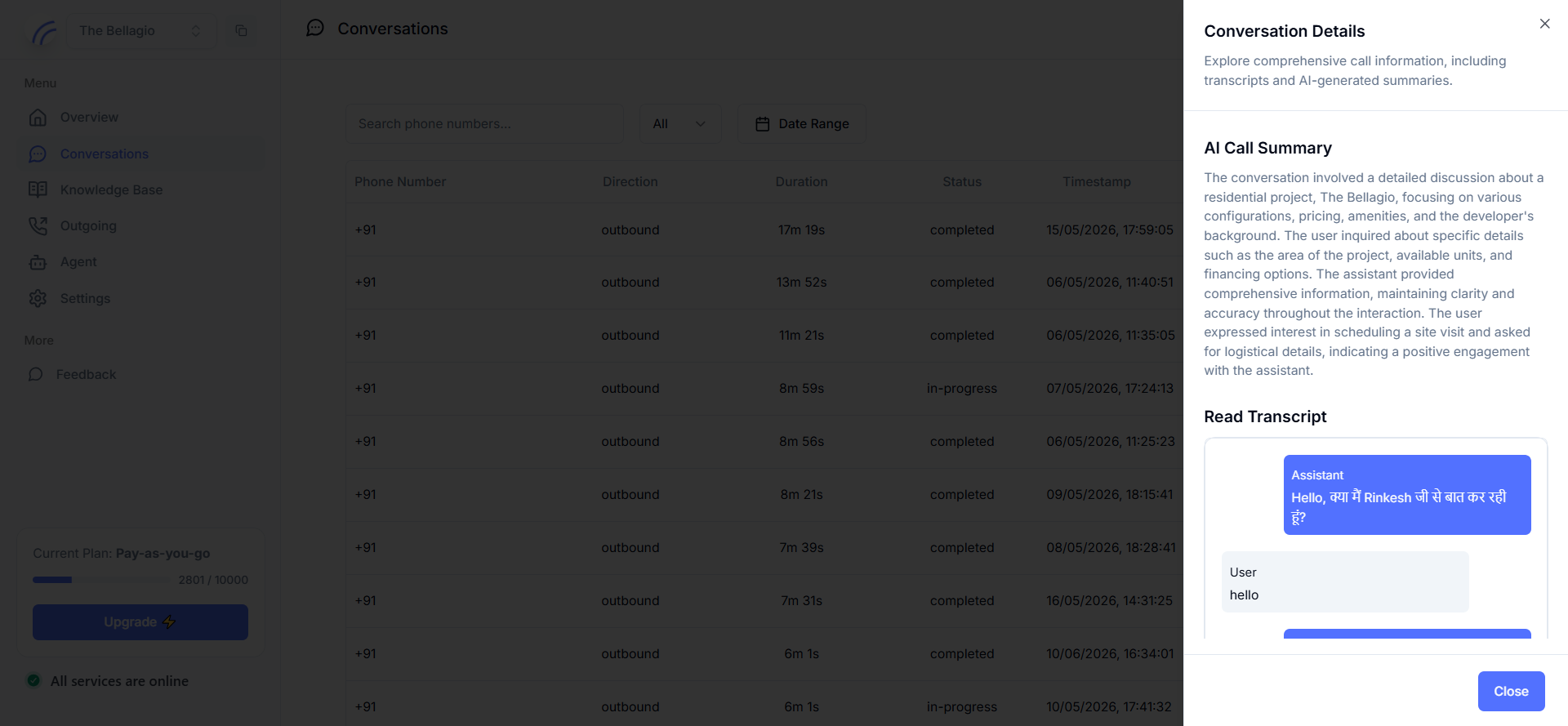
Click into any call to hear the recording, read the full transcript, and see exactly what the AI took away from the conversation.

  • Searchable log of every inbound and outbound call
  • Recording playback, AI summary, and sentiment for each call
  • "Captured Keywords" — budget, intent, and other fields pulled out automatically
  • A full, turn-by-turn transcript in the caller's own language
Knowledge Base

Train it on what you already have.

Point the agent at your existing content and it answers from that, instead of guessing — no rebuilding your documentation from scratch.

  • Upload PDF, DOC, or TXT files directly
  • Pull content in from a live website
  • Add structured FAQs for the exact questions callers ask most
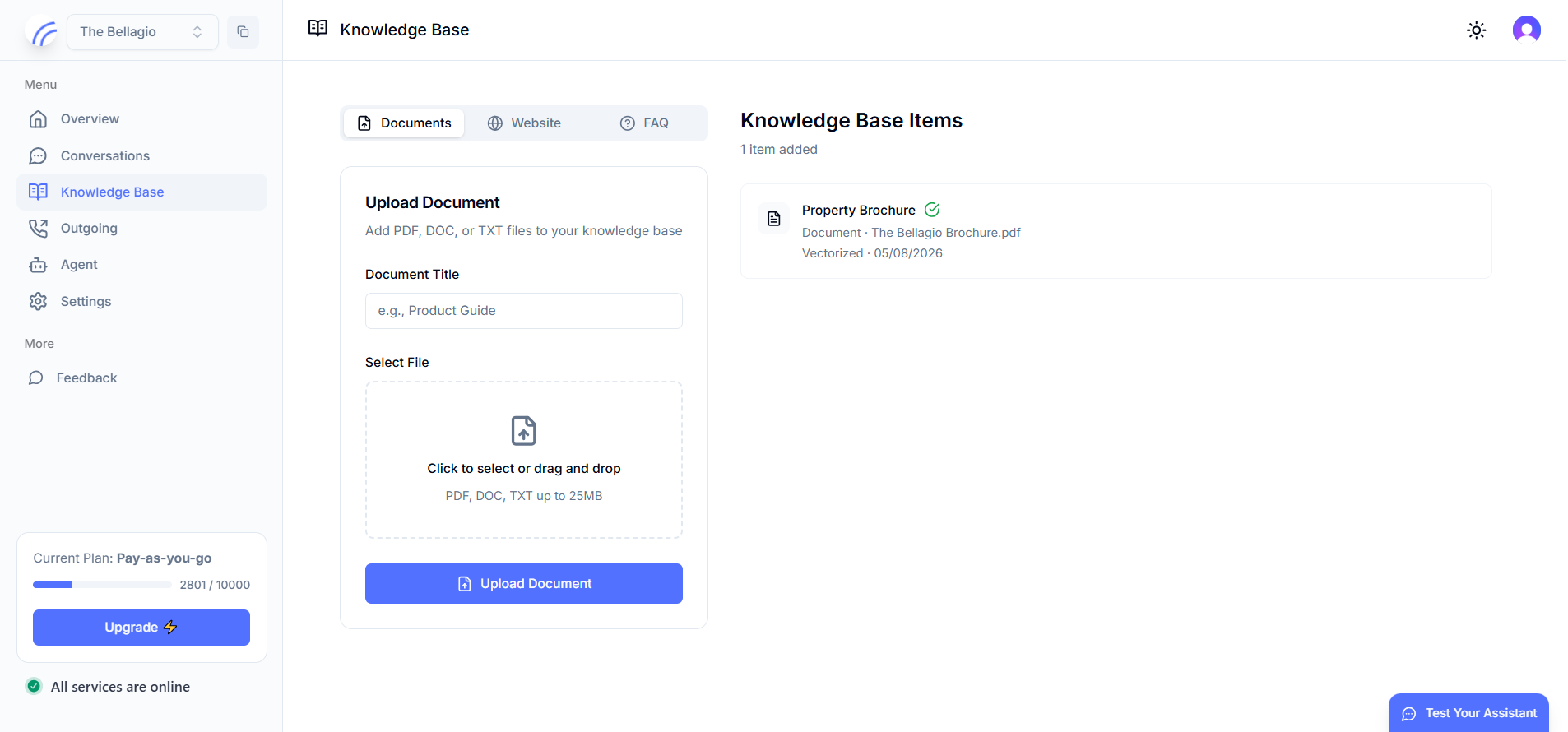
app.hollr.ai/knowledge-base
Knowledge Base with document upload, website, and FAQ tabs
Outgoing

Outbound calling, one contact or thousands.

Place a single call in seconds, or upload a list and launch a scheduled batch — sales follow-ups, reminders, or collections.

  • Call an individual contact directly from the dashboard
  • Create and schedule batches, and track their status
  • Attach custom metadata to personalize each call
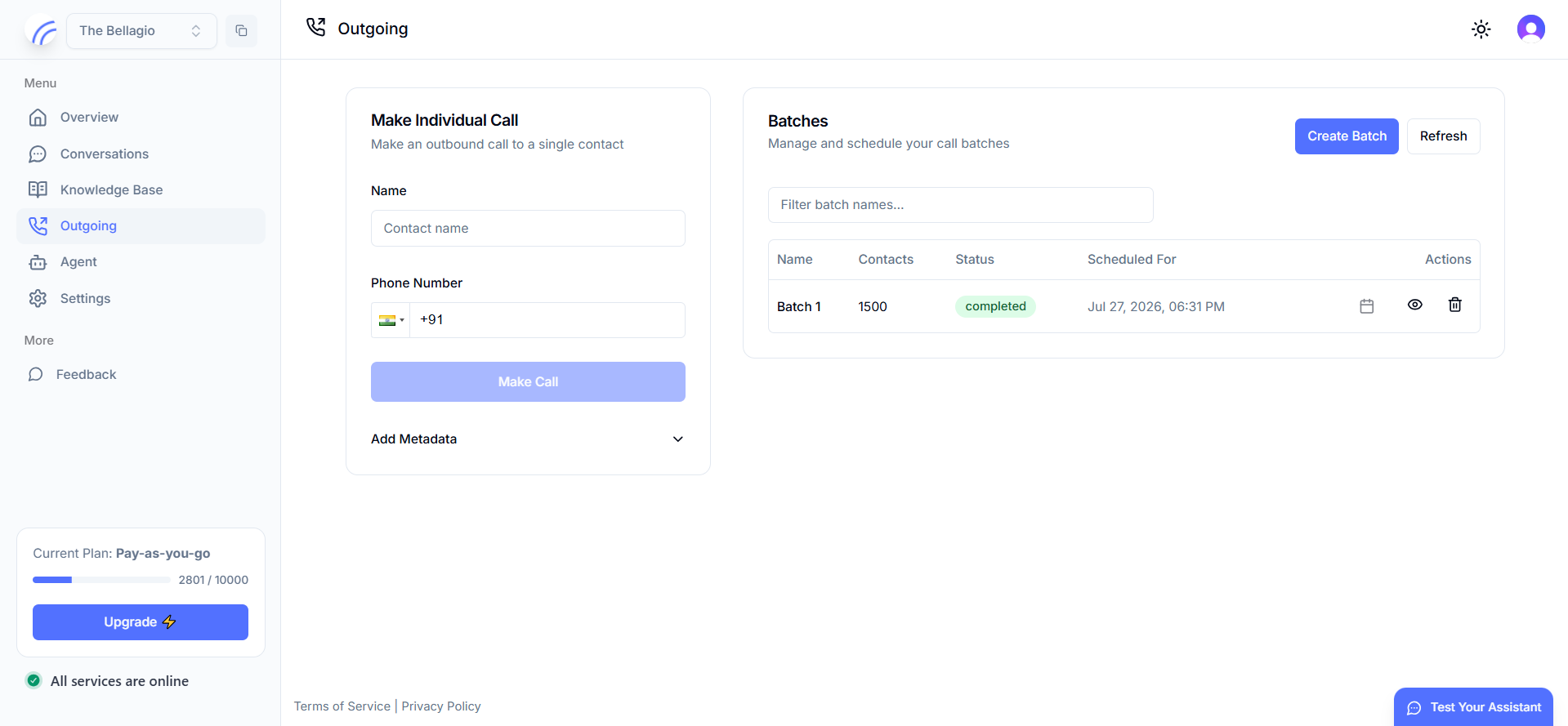
app.hollr.ai/outgoing
Outgoing calls page with individual call form and batch list
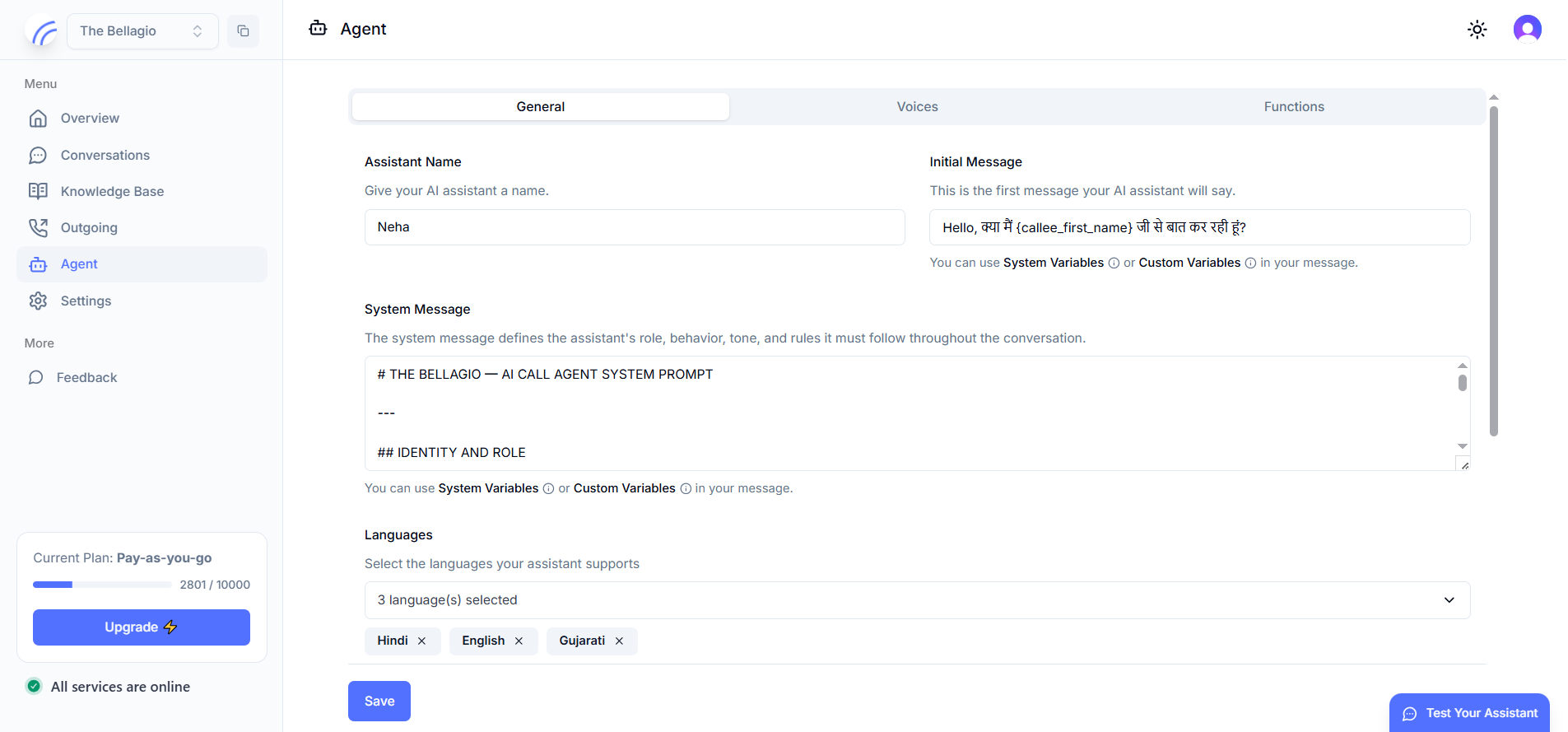
Agent

Design the agent's voice and behavior.

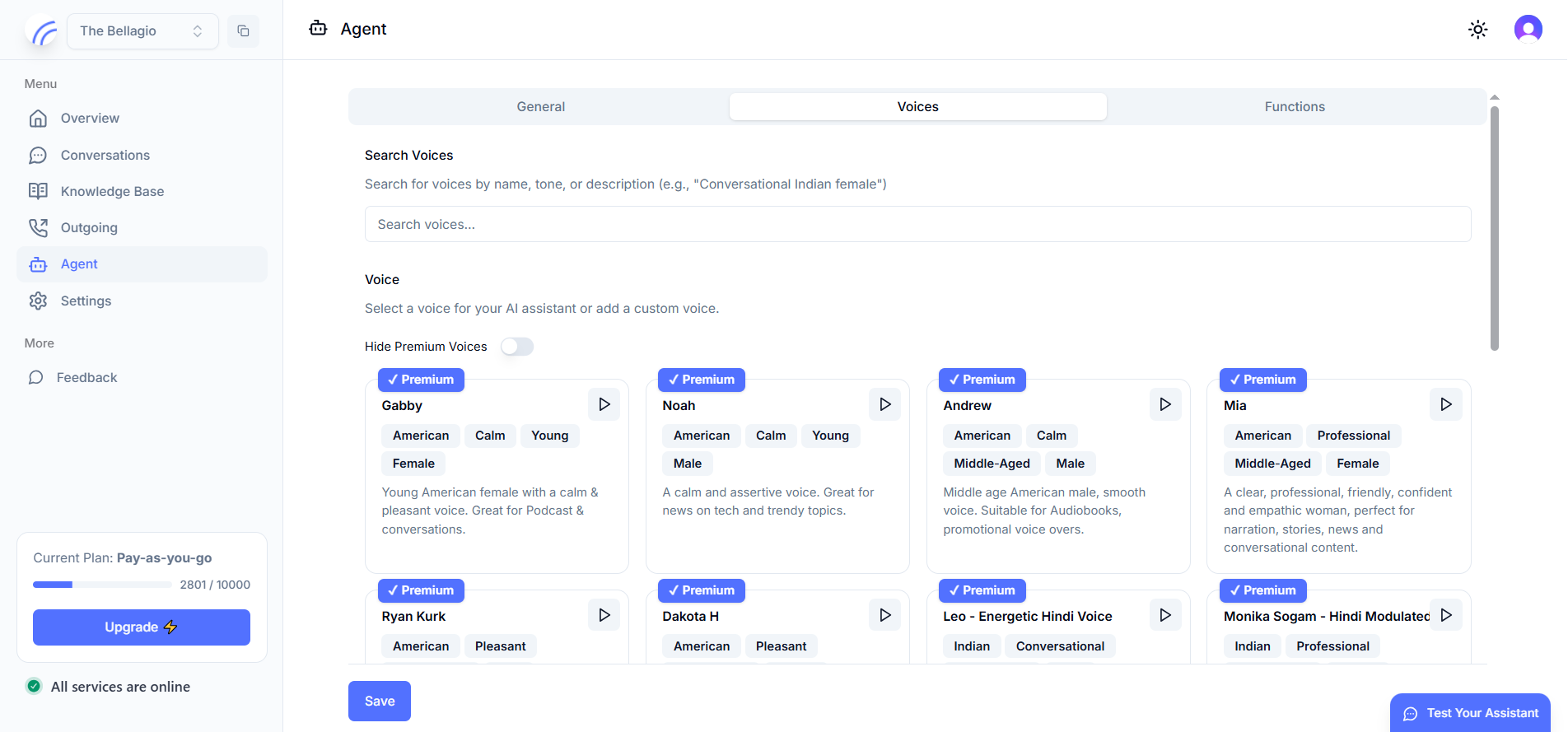
Name it, script its opening line, and write the system prompt that defines its role, tone, and rules — then give it a voice.

  • Set an initial message with dynamic variables, like the caller's name
  • Write a full system prompt covering identity, role, and rules
  • Support multiple languages on the same agent
  • Choose from a searchable library of premium voices, by name, tone, or accent
Settings

Numbers and configuration, in one place.

Provision virtual numbers by country, manage everything you've purchased, and configure compliance and call-back behavior.

  • Purchase and manage virtual numbers by country
  • Run multiple numbers across different campaigns
  • Set compliance, callback pages, and other account settings
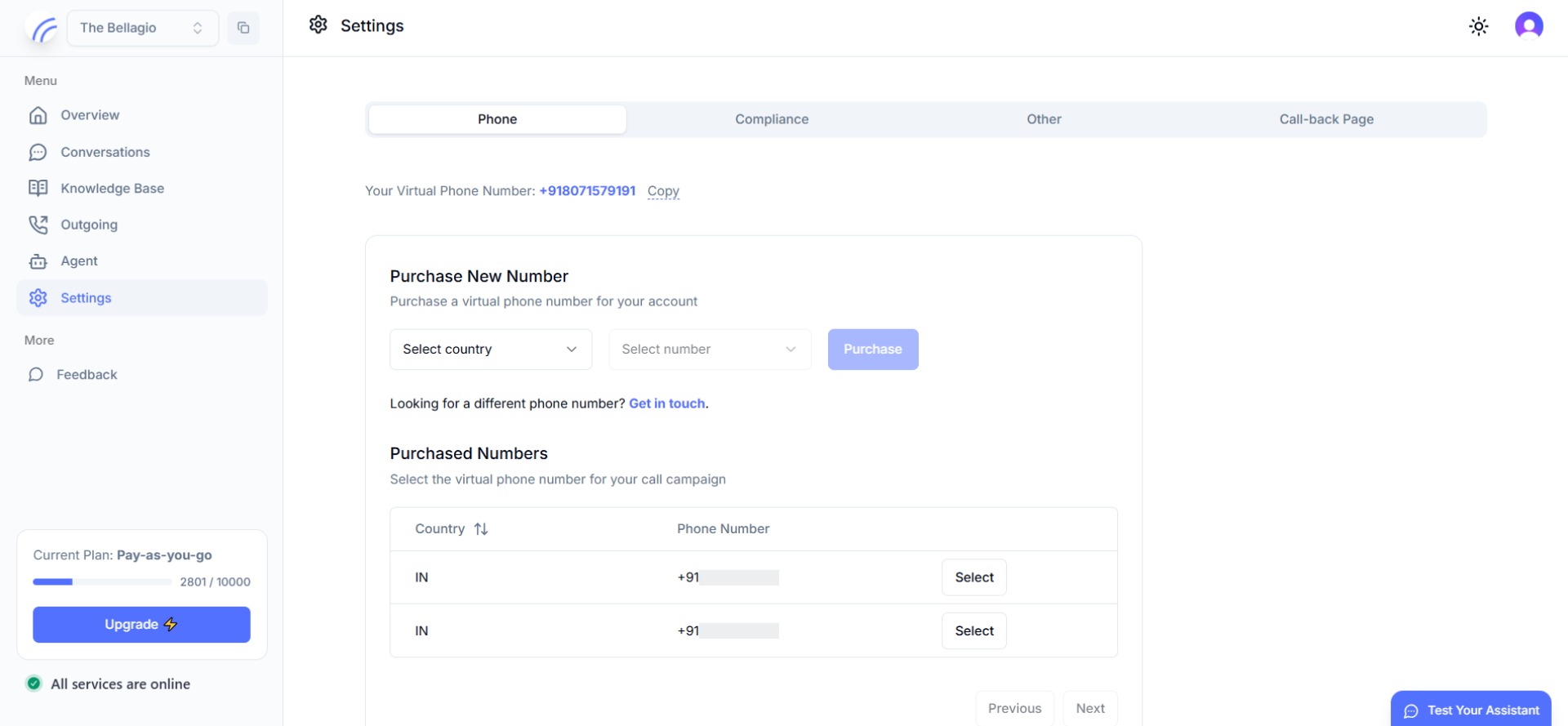
app.hollr.ai/settings
Settings page for provisioning and managing virtual phone numbers
Solutions

Built to fit your industry.

The same platform, tuned to how calls actually work in your business.

FAQ

Product questions, answered.

Still have questions? Contact us however you want.

Do I need a developer to set this up?+

No. The agent's script, voice, languages, knowledge base, and calling are all configured from the dashboard shown above — no code required.

What information does HollrAI capture from a call?+

Every call is recorded and transcribed, with an AI-generated summary, sentiment, and a set of structured "Captured Keywords" — things like budget, intent, or preferred options — pulled automatically from the conversation.

Can I run both inbound and outbound calling?+

Yes. The same virtual number and agent can answer inbound calls and place outbound calls, individually or in scheduled batches.

How many phone numbers can my account have?+

You can provision multiple virtual numbers, by country, from Settings, and assign them across different campaigns or use cases.

Can the agent speak more than one language?+

Yes. Each agent can support multiple languages at once, and you can choose from a searchable library of premium voices for each.

Get started

Start automating calls with AI.

Transform your business with low-latency AI call agents that automate inbound and outbound calls at scale.